Organisation settings
Organisation Settings sets the defaults for the organisation. Projects inherit these defaults unless they set their own override.
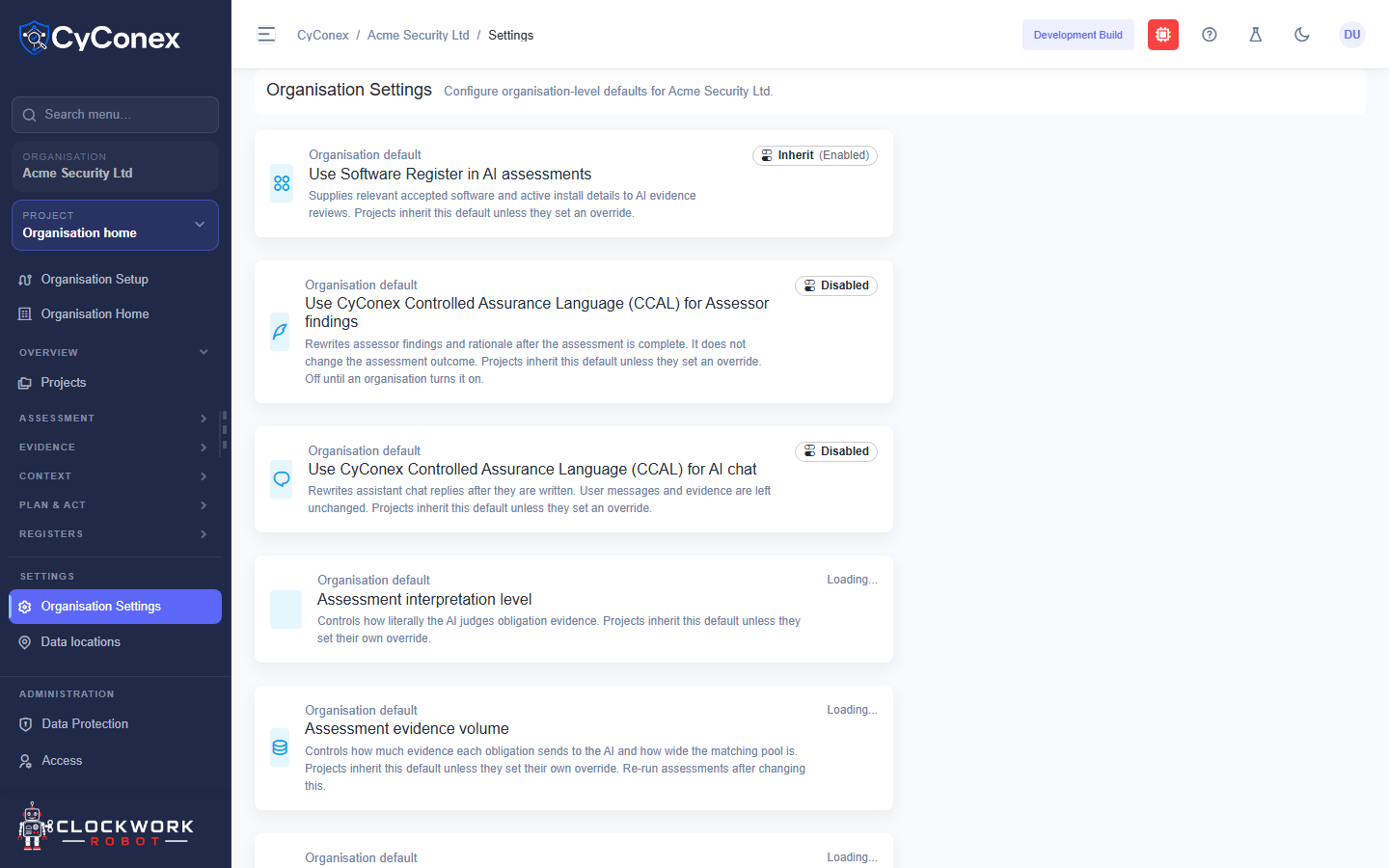
Each default
Section titled “Each default”Each setting shows its current state as a badge: Inherit (Enabled) or Disabled. The settings include:
- Use Software Register in AI assessments: supplies accepted software and active installs to AI evidence reviews.
- Use CyConex Controlled Assurance Language (CCAL) for assessor findings, which rewrites findings after the assessment is complete.
- Use CyConex Controlled Assurance Language (CCAL) for AI chat, which rewrites assistant replies after they are written.
- Assessment interpretation level, which controls how literally the AI judges evidence.
- Assessment evidence volume, which controls how much evidence each obligation sends to the AI.
- The review, critic, and AI Chat models.
Change these with care. They affect every project in the organisation, and changing the evidence volume means re-running assessments.