The organisation home page
The Organisation Home page is the starting point for an organisation. Select Organisation Home in the sidebar to open it.
What’s on the page
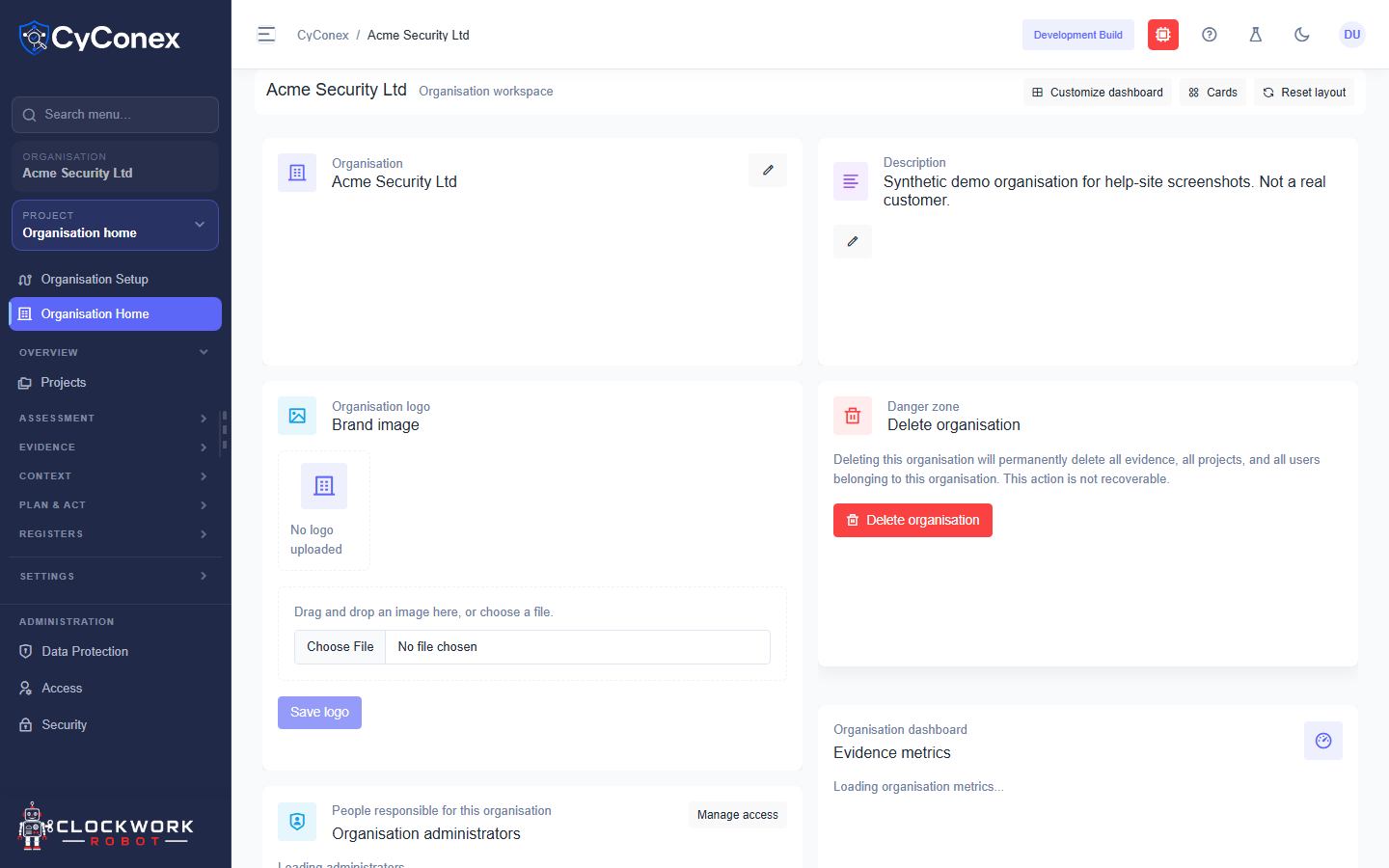
Section titled “What’s on the page”- Organisation: the organisation’s name, and its description at the top right. Use the pencil icons to edit them.
- Organisation logo: choose a file and select Save logo to add a brand image.
- Organisation administrators: the people responsible for the organisation. Manage access opens who can do what.
- Evidence metrics: the number of evidence documents and the word count across the organisation’s evidence.
Use Customize dashboard to change which cards appear, Cards to show or hide them, and Reset layout to return to the default arrangement.
Delete an organisation
Section titled “Delete an organisation”The Danger zone card has Delete organisation. Deleting an organisation permanently removes all of its evidence, projects, and users. It cannot be undone, so check the organisation before you use it.